Plan a sub-distribution board like a pro
Why a fuse box rarely fits on the first try without real module widths, and how FusePlan catches that before you touch a rail.
I’m Christoph, and FusePlan comes from a simple difference: someone who has built a hundred sub-distribution boards can look at a job and know where every module goes and how much room is left on the rail. Someone doing it for the first time snaps the parts on and only then finds out: wait, that doesn’t fit.
That was me last year, redoing the electrics in a small outbuilding. On paper I had a plan for which breaker goes where and how many terminals fit on a row. What the plan didn’t know was the real module widths: a row that added up on paper came up short once I got to it, because an RCBO is wider than a plain breaker. So I built an editor that knows the real widths from the start, so that moment happens before you’re standing at the rail, not after.
What it actually does
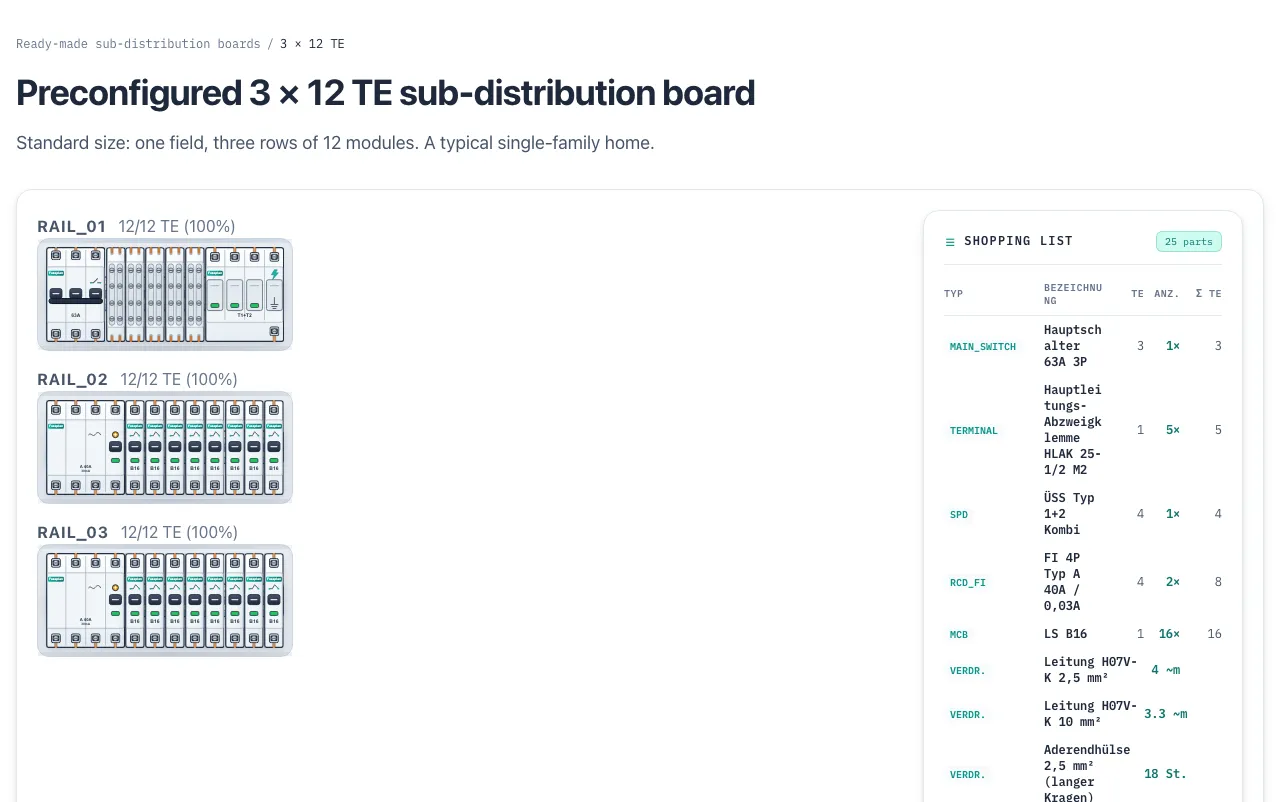
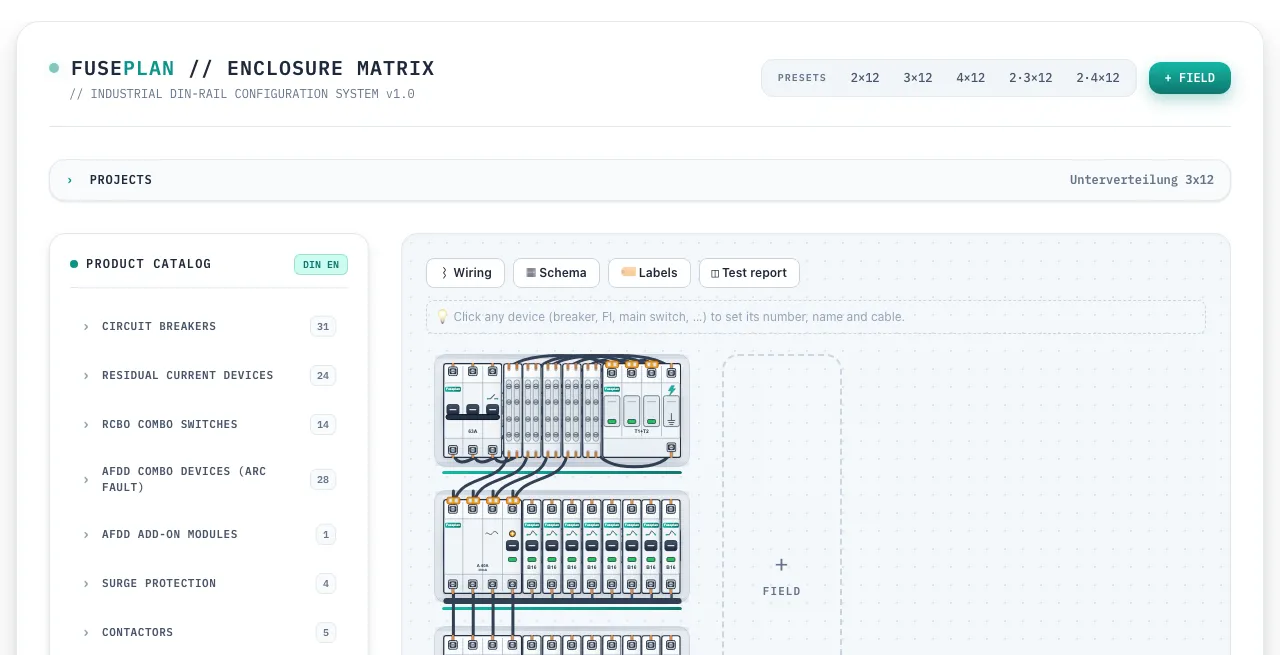
FusePlan runs entirely in the browser. You drag real components onto a DIN rail: circuit breakers, RCDs, RCBOs, surge protection, contactors. Each one keeps its true module width in TE (Teilungseinheiten), so a row that reads full at 12 TE is actually full, not full according to a formula that quietly ignores a wider RCBO.
The catalog on the left holds real product ranges from Hager and ABB. The field in the middle is where rows get built, and the parts list stays in sync as modules go in or come out.
Ready-made configurations, if you don’t want to start from zero
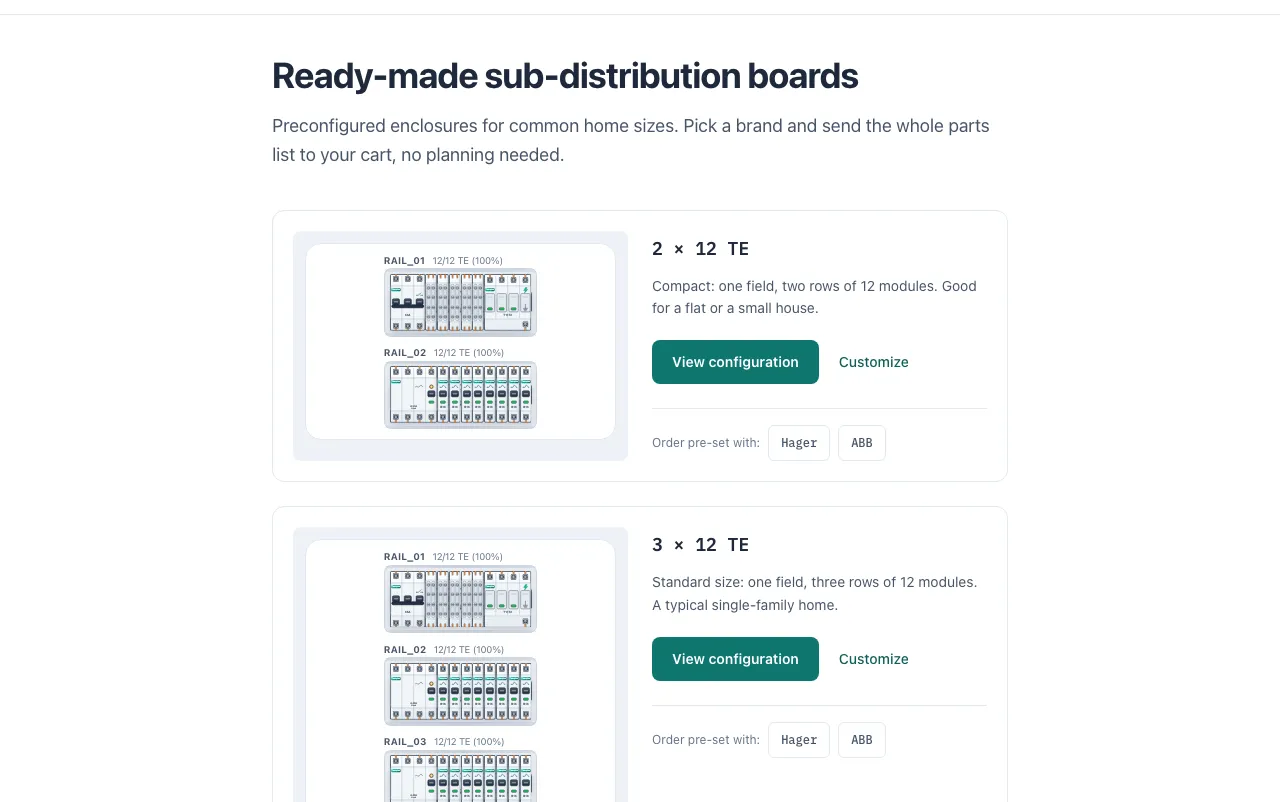
Most sub-distribution boards fall into a handful of sizes. FusePlan ships five ready-made configurations, from a 2x12 TE board for a flat up to a 2x4x12 TE board for a bigger house or a small commercial unit. Each one has a brand-locked version for Hager or ABB, so the full parts list is one click from an actual cart.
A parts list, not just a picture
The point was never a nice diagram. Once a layout is done, FusePlan turns it into a list with exact quantities and exact module types, ready to check against an electrician’s quote or your own order.
What it isn’t
FusePlan doesn’t size conductors, check selectivity, or replace an electrician. It helps with the layout and the shopping list before you order, or before someone qualified signs off on the install. Treat it like a good sketch: useful for getting your own thinking straight, not a substitute for the real calculation.
Still early
The project is in beta. Buying the parts list directly through the site isn’t wired up yet, and layouts may still shift as I add manufacturers and module types. If something doesn’t match your actual hardware, the About page has a way to reach me.
Under the hood
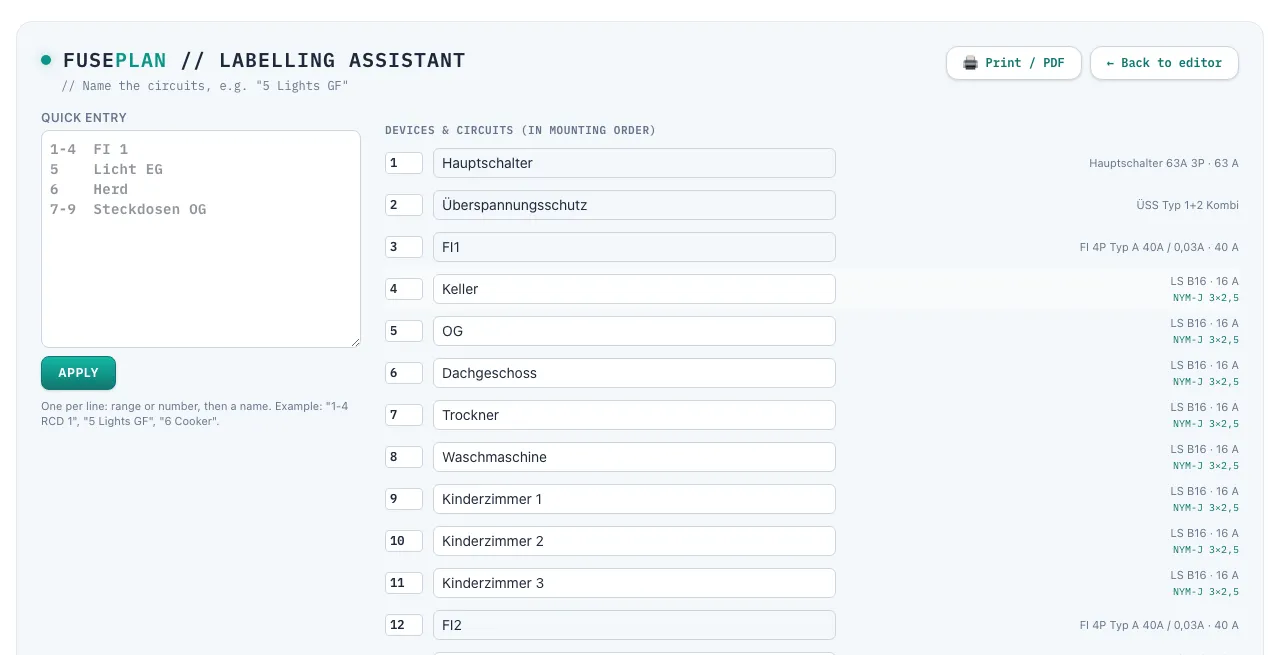
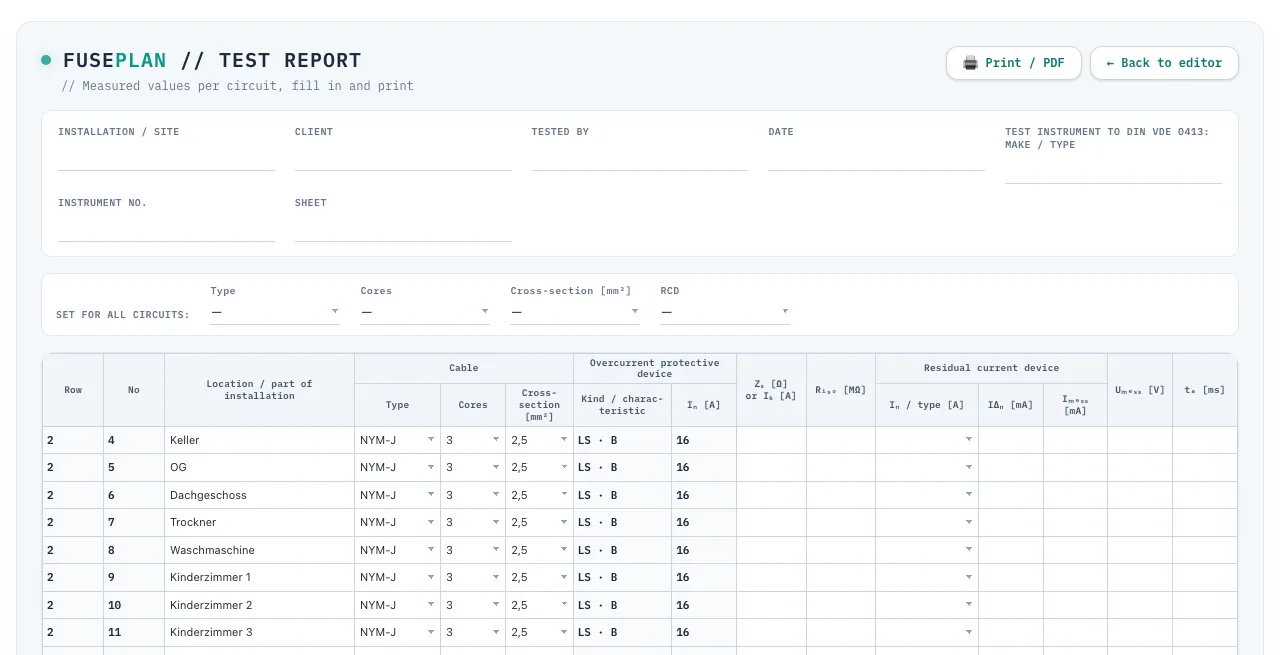
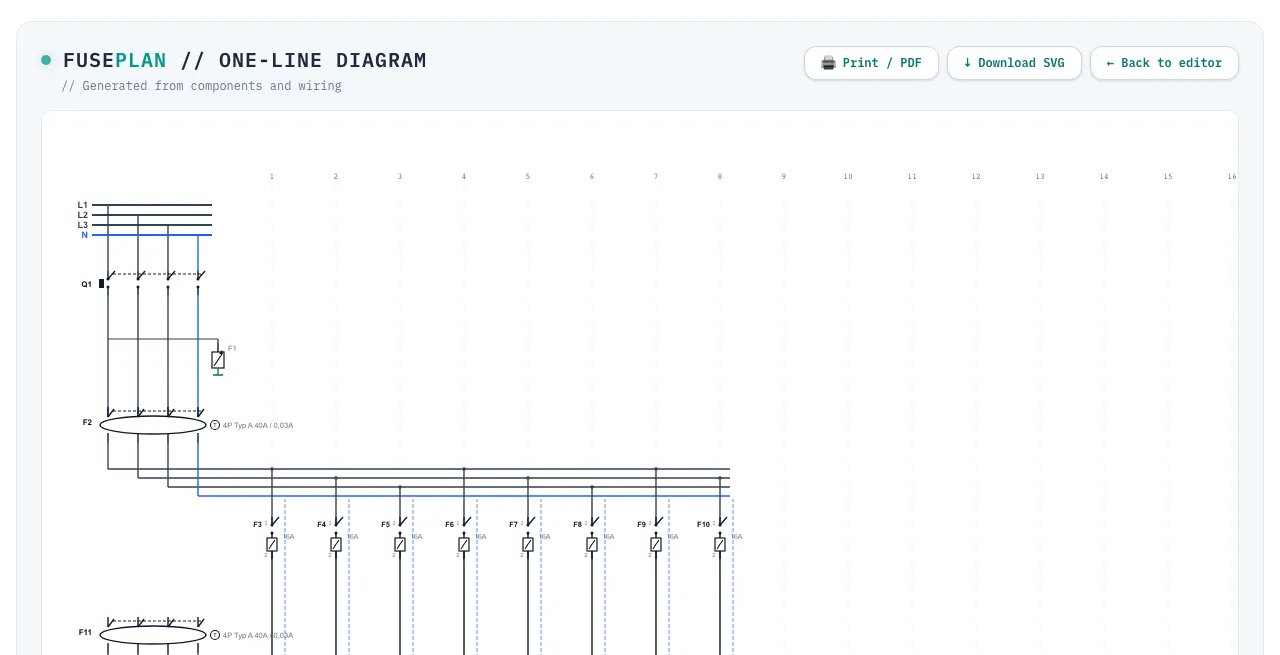
Once a board is built, four more tabs turn it from a drawing into paperwork: wiring assigns a number, name and cable to every device; schema turns that into a one-line diagram; labels lists every circuit in mounting order so the panel gets labeled correctly; and the test report gives you a DIN VDE 0413 protocol with one row per circuit, ready to fill in on site.